


Planta: AI Plant & Garden Care
4.12.04K Reviews
App Specs
- Version
- 2.49.3
- Updated On
- License
- Free
- Downloads
- 1,000,000+
- Developer
- Planta AB
- Categories
- House & Home
- Platform
- Android, iOS
Screenshots
 Analysis by AppCompare
If you’re anything like me, keeping plants alive can feel like a Herculean task. Enter Planta: Plant & Garden Care, a nifty little app that promises to turn your thumb green, or at least greener than it is now. I dove into this app to see if it could actually help me nurture my leafy friends instead of turning them into crispy critters.
Building a routine that fits real life
The first useful shift is to treat Planta as a planning aid, not as an authority that can see every detail of your home. A care reminder is a prompt to check a plant, not an order to water it regardless of what the soil feels like. I find that distinction especially valuable for beginners: it gives you structure while still encouraging you to notice how each plant responds.
For a busy household, the app makes most sense as a shared reference point for a collection that might otherwise live in one person’s memory. If you have a few plants in different rooms, a schedule can help you remember which ones need attention and when. I’d still check the potting mix and the plant itself before watering, because a room’s warmth, light, pot size, and drainage all affect how quickly soil dries.
A realistic routine could be a quick check while making coffee: open the care list, look at the plants flagged for attention, and inspect them before acting. If the soil is still damp, postpone watering rather than following a reminder blindly. That small pause turns a notification into a useful habit and can help prevent the very overwatering that plant-care apps are meant to help users avoid.
Settings and details worth getting right
When adding plants, take a moment to choose the closest match rather than selecting the first familiar name. A photo or a search can help narrow things down, but identification is not a substitute for checking the plant’s defining features. If you are unsure, keep the identification tentative and use the care guidance as a starting point, especially for a plant whose needs may vary by variety.
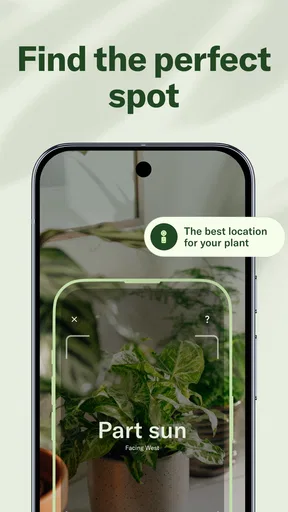
Placement matters too. Planta’s light recommendations depend on telling it where a plant sits, so be honest about the actual spot rather than the spot you wish it occupied. A plant on a shelf several feet from a window may receive very different light from one on the sill. If you move it, update its placement so the advice stays relevant; otherwise, the app’s suggestions can be based on an outdated picture of your home.
Weather-aware watering schedules are a helpful adjustment, but local weather cannot account for every indoor condition. A sunny window, a draft, heating, or a large decorative pot can change drying time. I would use the schedule to decide when to inspect a plant and use the soil and leaves to decide what to do. This is a practical way to get value from automation without expecting it to make the final judgement for you.
Worth Reading Before You Choose

Baby Panda World Brings Quick Play to Modern Phones, but Its Game Library Feels Busy

ESPN’s Live Game View Makes Following Close Games Easier

QuizzLand Review: A Good Fit for Short Trivia Breaks, Not Every Player

Basketball Stars: Multiplayer Is Fast, but Can It Recover When Matches Go Wrong?

WEBTOON Turns Phone Updates Into a Better Reading Routine

Link to Windows Runs on Shared Habits, Not Social Feeds
Faster patterns for a growing collection
Once you have several plants, consistency matters more than checking the app every time you pass one. I’d group care into a short repeatable check rather than trying to remember scattered reminders throughout the day: review what is due, inspect those plants, then complete only the tasks that make sense. The Care Calendar can help keep tasks such as fertilizing and repotting visible alongside watering, which is useful when those less frequent jobs are easy to forget.
It also helps to add plants as you bring them home, while their names and locations are still easy to confirm. That avoids the later chore of trying to reconstruct which plant is which from a crowded room. For a household with plants split between rooms, a quick location note in your own routine—such as checking the bedroom plants after opening the curtains—can make reminders easier to act on without turning plant care into a long daily checklist.
If you travel or someone else is caring for your plants, a schedule can make handover clearer: explain which plants need checking and when, while reminding the helper to inspect the soil before watering. It is still worth keeping instructions simple, since a notification alone cannot tell a visitor whether a pot has already been watered. The app works best when it supports a repeatable human routine instead of trying to replace one.
Where expert tools help—and where judgment still matters
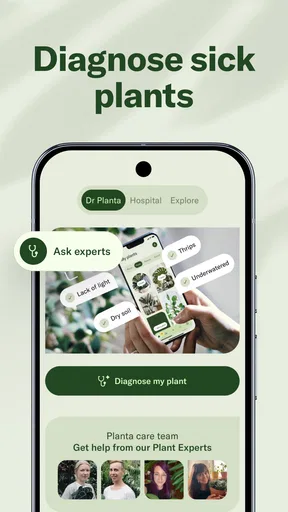
The Plant Doctor is appealing when a leaf starts looking unhealthy and you want somewhere to begin. A photo-based diagnosis can suggest possible common problems, but symptoms such as yellowing or spots can have several causes. I would treat the result as a shortlist of possibilities, then check the plant’s recent watering, light, and placement before making a big change. Avoid changing several things at once; otherwise, it becomes difficult to tell which adjustment helped.
That caution is important because a phone image cannot show everything about a plant’s condition. Lighting and camera angle can affect how a symptom looks, and a picture may not reveal what is happening in the soil or roots. For a plant that is deteriorating quickly, or for a problem that remains unclear, advice from a knowledgeable person can be more useful than repeatedly taking photos and guessing from a result.
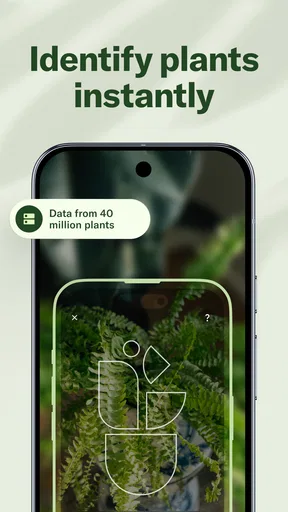
Identification has a similar boundary. It can be handy for an unknown plant or a label-free cutting, but I would not use a single suggested match as a reason to follow care instructions without checking whether the plant really fits. This is one of Planta’s useful strengths and an easy place to over-rely on it: the app can organize what you know and point you toward a likely answer, while observation remains essential.
Who will get the most from it
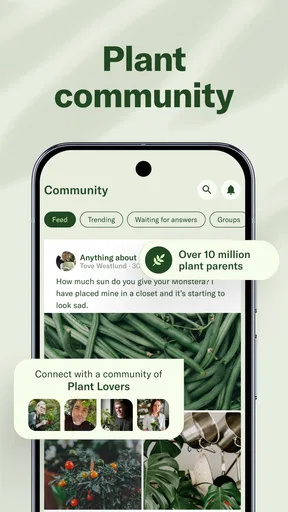
I can see Planta being especially useful for someone who has bought a few houseplants and is unsure how to keep their needs straight. It gives new plant owners a way to build a care routine, and the calendar can help more experienced hobbyists keep occasional jobs from slipping through the cracks. The store summary also highlights access to real plant experts and a community, which may appeal if you want more than a reminder-based routine.
On the other hand, if you own just one forgiving plant and already know how it responds to your home, a dedicated app may feel like an extra step. People who prefer handwritten notes, a basic calendar, or learning through direct observation may also be perfectly happy without Planta. I would not recommend treating any app’s schedule as a replacement for checking soil, leaves, and changing conditions.
Compared with a simple reminder app, Planta is more plant-specific: it brings plant records, care tasks, placement guidance, identification, and a health tool into one place. A notebook offers more freedom and no need to maintain a digital collection, but it relies on you to know what to write and when to review it. Planta’s advantage is organization; its trade-off is that setting up and keeping the collection accurate takes attention.
Getting Started with Planta
First off, installing Planta: Plant & Garden Care is a breeze. Once you open it up, the interface is super friendly, like a warm hug from a fellow plant lover. You start by adding your plants, which is as easy as snapping a photo or searching through their extensive database. They’ve got everything from the common pothos to the exotic fiddle leaf fig. It’s almost like having a personal plant expert in your pocket.
Planta is a free House & Home app from Planta AB, with optional in-app purchases ranging from $7.99 to $49.99 per item. It is rated for Everyone, and its average rating is 4.2 from around 20,000 ratings, with about 1,900 written reviews and over a million installs. It first appeared on December 2, 2020, and version 2.43.0 is the current version. Those figures suggest a well-established audience, though popularity alone cannot tell you whether its routines suit the conditions in your home.
Features to Nurture Your Garden
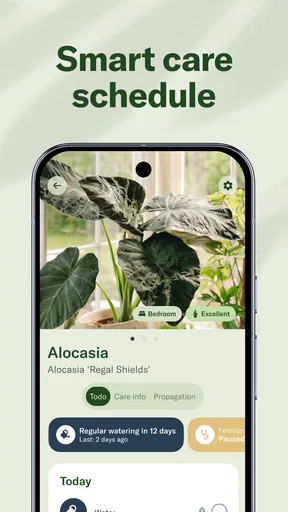
One of my favorite features is the watering schedule. The app uses your location to tailor the schedule based on local weather conditions. That’s right, no more overwatering because you forgot it rained yesterday! It even sends reminders, so you’ll never miss watering day again.
But it doesn’t stop there. Planta also offers light recommendations. Just tell the app where you’ve placed your plant, and it’ll let you know if it’s basking in just the right amount of sunlight. There’s even a nifty plant identification feature, perfect for those “what is this?” moments.
Keeping Your Plants Healthy
For plant parents who worry about their green babies’ health, Planta has a “Plant Doctor” feature. Snap a picture of your sickly plant, and the app will diagnose common problems. It’s like having a vet for your plants, minus the hefty bill.
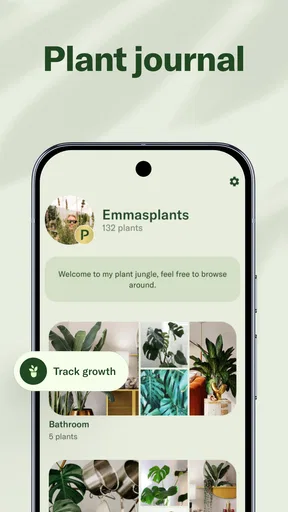
Another cool tool is the “Care Calendar,” which keeps track of all your plants’ needs, from fertilizing to repotting. The calendar is intuitive and ensures you’re giving each plant the love it deserves.
My Experience: From Brown to Green Thumb
After using Planta for a few weeks, I’ve noticed a real difference in my plants’ health. I’m not saying I’m ready to open a botanical garden, but there’s definitely less brown in my apartment. The app’s reminders are a lifesaver, especially for someone as forgetful as I am.
What really stands out is how Planta makes plant care feel approachable. The combination of personalized tips and a user-friendly interface means anyone can improve their plant care game, regardless of experience level.
A sensible way to decide
Before committing to a bigger collection in the app, I’d start with a few plants that have different needs: perhaps one in a bright spot and another farther from a window. That gives you a practical test of whether the placement advice and reminders fit your home. If the prompts feel useful rather than distracting, you can add the rest gradually. If they encourage you to water when the soil is still moist, adjust your routine and rely more on inspection than on the calendar.
The free starting point makes it easy to see whether Planta’s approach suits you, while the in-app purchases mean some offerings may involve spending. I would first decide which tools you actually use—perhaps the calendar and plant records—before considering paid options. If all you need is an occasional reminder, a regular calendar may be enough; if you want plant-specific organization and guidance in one app, Planta has a clearer case.
All in all, if you’re looking to step up your plant care routine, I’d highly recommend giving Planta a try. It’s like having a gardening buddy who never judges you for overwatering your succulents. Trust me, your plants will thank you!
Pros
- User-friendly interface for beginners.
- Comprehensive plant database.
- Customizable care reminders.
- Offline access available.
- Visually appealing design.
Cons
- Limited free features.
- Occasional app crashes.
- Some plant info missing.
- Subscription model for full access.
- No community interaction features.
FAQs for Planta: AI Plant & Garden Care
What features does Planta: Plant & Garden Care offer for plant enthusiasts?
Planta: Plant & Garden Care provides a range of features designed to help both novice and experienced gardeners. It includes a plant identifier, care reminders, and a light meter to ensure optimal plant health. Additionally, it offers detailed care guides and personalized advice based on your plant collection and local weather conditions.
Is Planta suitable for beginners who have no gardening experience?
Yes, Planta is particularly user-friendly for beginners. The app offers step-by-step care instructions and reminders, making it easy for those new to gardening to keep their plants healthy. Its plant identification feature helps users learn about their plants, making the learning process engaging and informative.
Does Planta require a subscription, and what does it include?
Planta offers both a free version and a premium subscription. The free version includes basic features like plant identification and care reminders. The premium version, available through subscription, unlocks advanced features such as unlimited plant profiles, advanced care guides, and the plant health check function.
How accurate is the plant identification feature in Planta?
Planta's plant identification feature is highly accurate, utilizing a vast database of plant species to recognize and provide detailed information. While it performs well in most cases, the accuracy may vary depending on the quality of the photo and the uniqueness of the plant. It’s always a good idea to cross-check with other resources if in doubt.
Can Planta help with pest and disease management for my plants?
Yes, Planta includes features to assist with pest and disease management. The app provides guidance on identifying common plant pests and diseases and suggests appropriate treatment options. This feature helps users take timely action to protect their plants from common threats.


